Sidepic is simple, separate photo storage. Because you have other photos.
Screenshots you forgot you took. Memes you’re not explaining to anyone. Images that wandered in from the internet and never left.
Sidepic doesn’t ask questions; it just keeps the clutter out of your main library, always on hand, just off to the side.
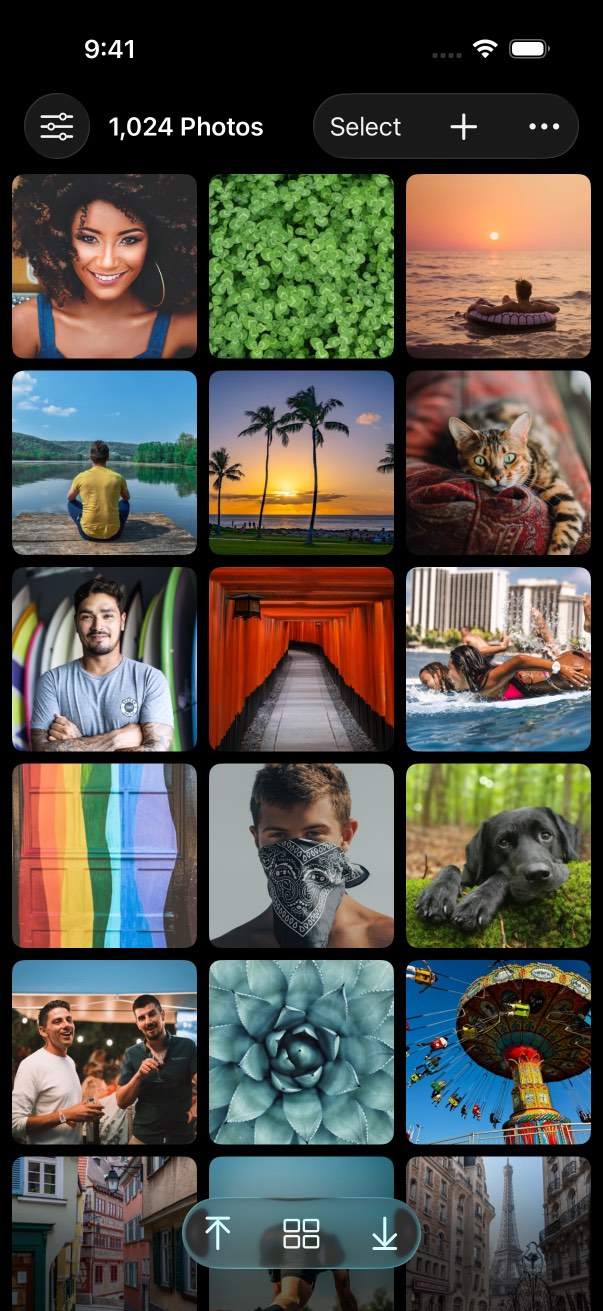
Features
Simple and elegant photo storage.
No albums to manage, no tags to invent, no folders to explain later. Just your photos, front and center.
Grid Features
Sort photos by oldest first or newest first.
Jump to the first or last photo in the grid.
Switch between square and aspect ratio previews.
Select multiple photos for deletion or for sharing to other apps.
Flag low-resolution photos with a customizable threshold.
Photo Features
Swipe through photos to view them; swipe down to dismiss.
Single-tap for full-screen viewing and double-tap to zoom.
Show image metadata: dimensions, file size, and date added.
Delete the photo or share it to other apps.
Interface Options
Force light or dark mode independent of your device’s mode.
Switch the app icon between a light and dark version.
Check out Pro ↓ for more features.
Sidepic is made for iPhone and iPad.
New in 3.0
Your photos look beautiful front and center.
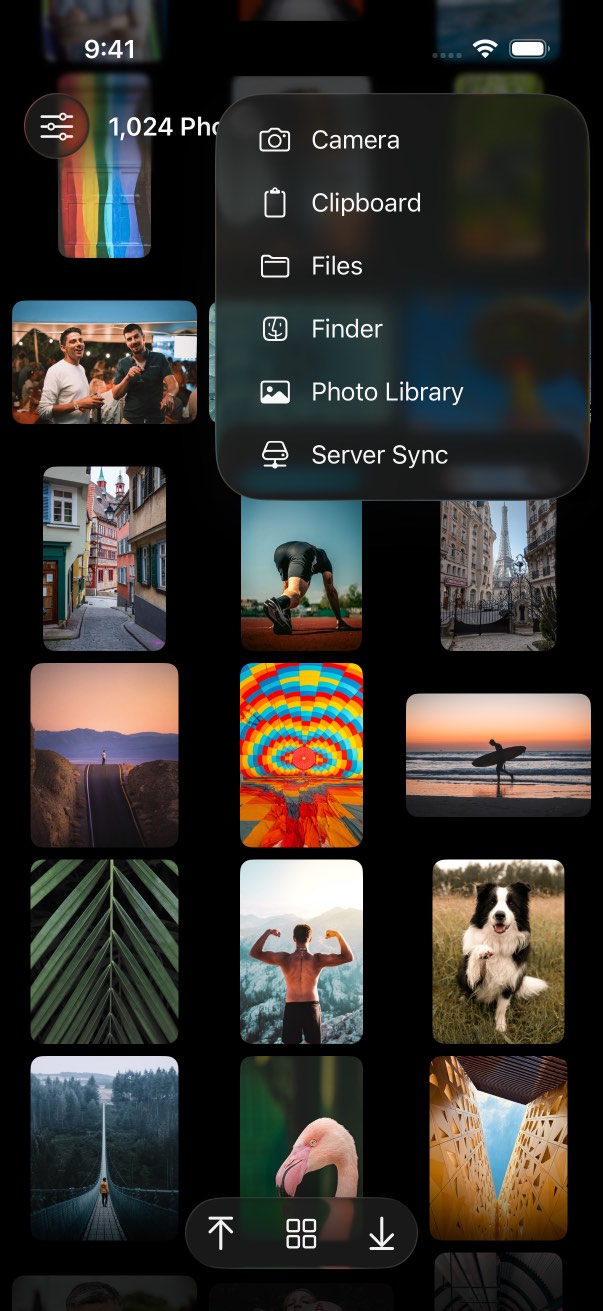
Aspect mode available. Add from anywhere.
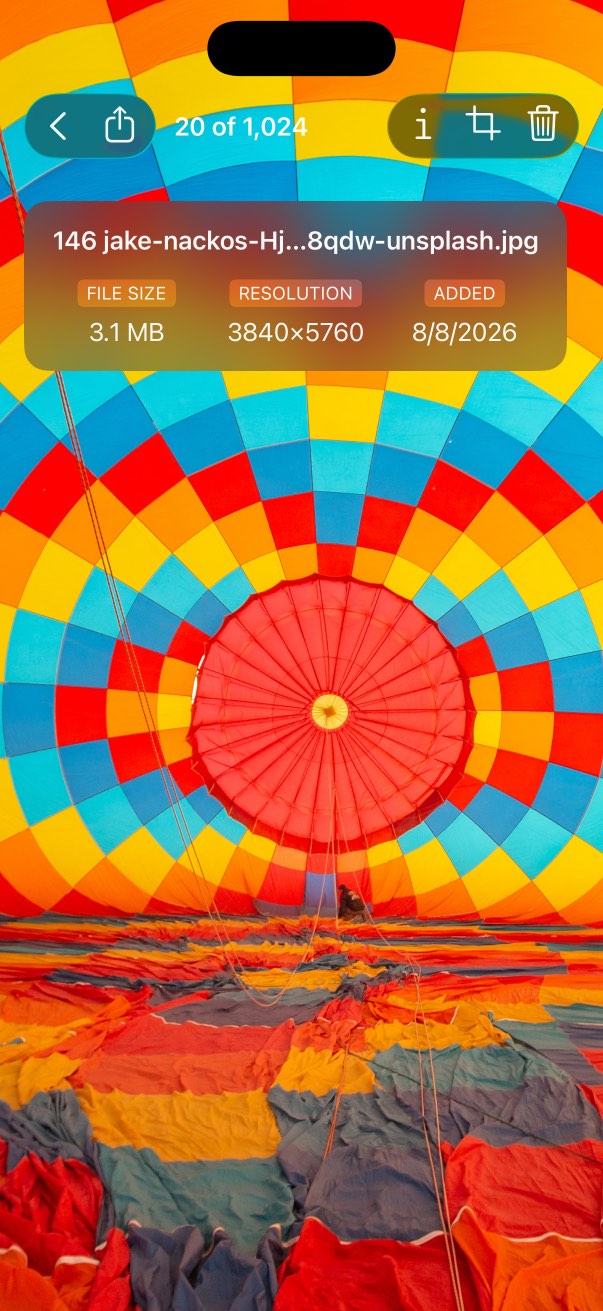
Full-screen viewing. Details available, too.
Importing
Add from anywhere.
Your Photos app is just one source.
Wherever your images are, you can get them into Sidepic.
Camera
Capture photos directly from your device’s camera.
Clipboard
Paste an image you copied to the clipboard.
iCloud
Import image files from the Files app.
Finder
Drag and drop image files from your Mac.
Share
Share images from other apps into Sidepic.
SMB Server
Download from an SMB share. (Pro purchase required.)
Pro
Upgrade to Pro for even more.
The Sidepic Pro in-app purchase adds handy tools
for organizing and syncing photos or enabling a little privacy.
Server Sync
Connect to an SMB server share and upload or download photos.
Duplicate Detector
Identify exact or similar duplicates, then choose the best copy to keep.
Basic Cropping
Trim a little off the top (or sides or bottom) of any photo.
App Privacy
Obscure the app contents when Sidepic is in the background.
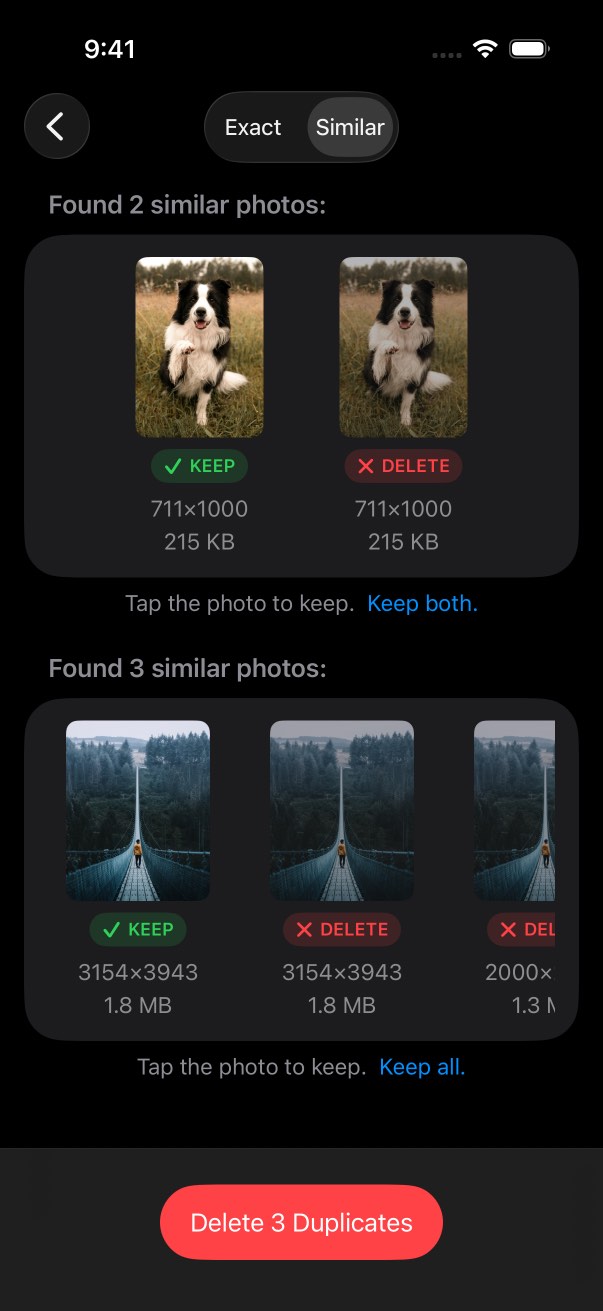
Zap duplicates and keep only the best.
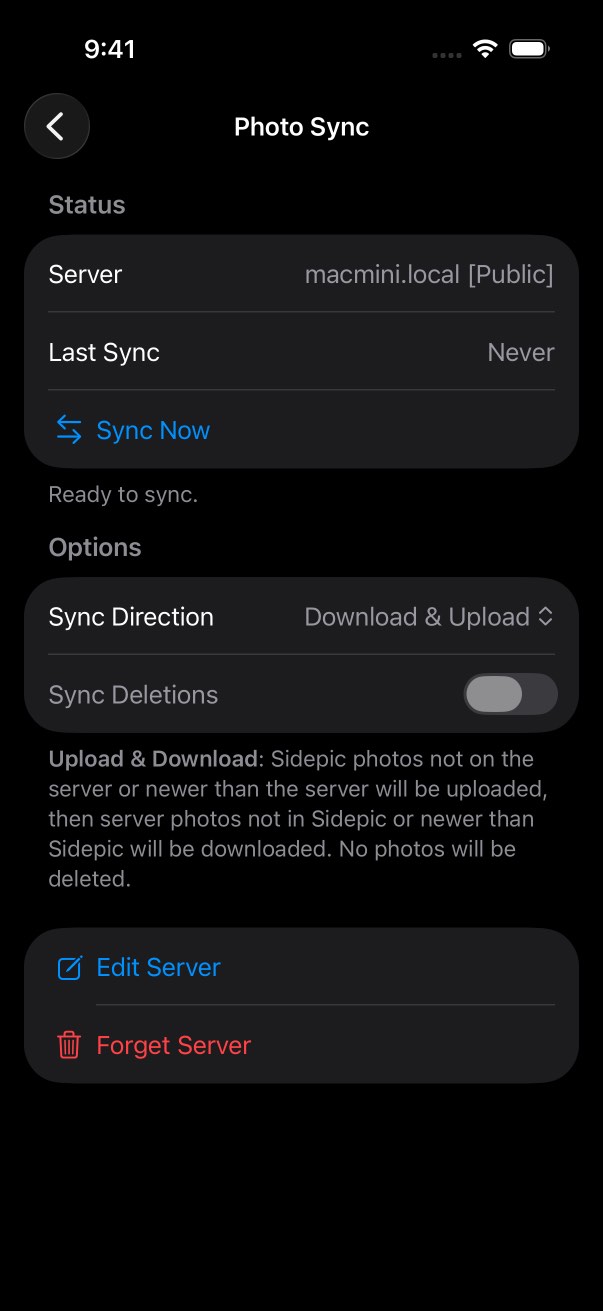
Sync with an SMB share. Optional delete for mirroring.
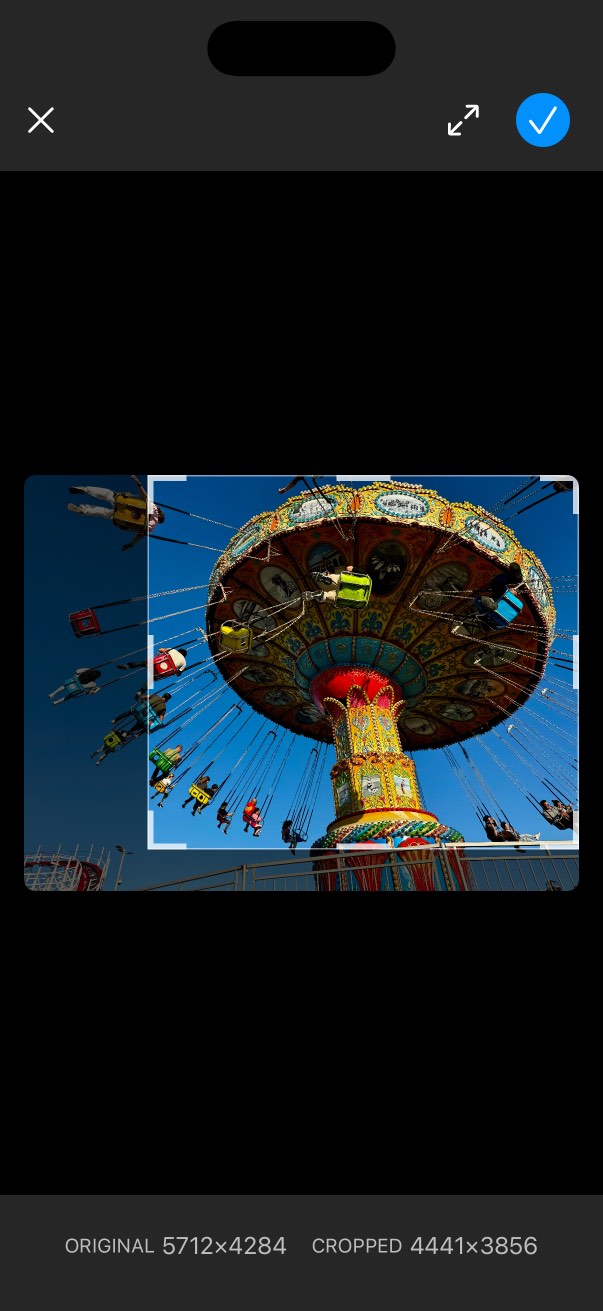
Remove the distractions with quick and easy cropping.
Support
Got questions? We’ve got answers! (probably)
Browse some common questions and helpful topics below.
How many photos can I add to Sidepic?
Free gets you 50 photos. Need more room for … whatever you’re keeping? A one-time in-app purchase of Sidepic Unlimited (or Sidepic Pro) removes the cap. If you already purchased the upgrade on another device, tap the Restore Purchases button to apply it.
Does Sidepic password-protect photos?
Not on its own. Sidepic isn’t in the business of guarding secrets. But iOS has a built-in “app lock” you can use to restrict access to any app, Sidepic included. Learn more about locking an app.
How does Sidepic organize my photos?
Sidepic stores photos as one big collection of pictures, ordered by when they were added. You can change the order between newest first or oldest first. Tap the up or down button near the bottom of the grid to quickly jump to the first or last photo.
Are Sidepic photos backed up?
By default, yes, because Sidepic photos ride along with your normal iCloud backup. If you need to save iCloud storage space or just don’t want these specific photos in the cloud, you can turn that off in Settings.
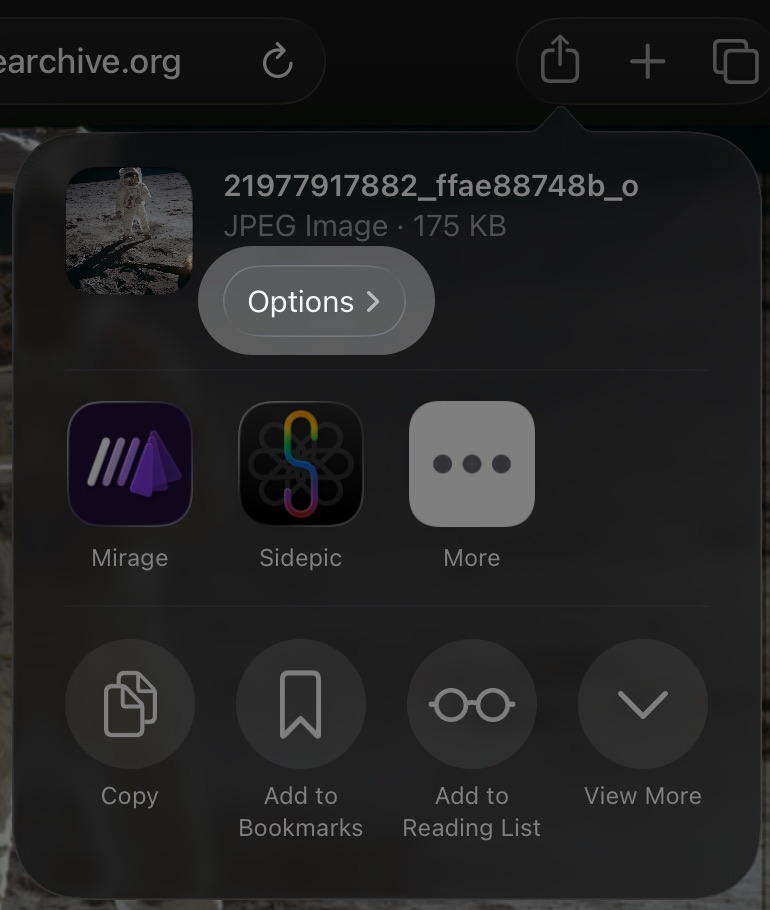
Why can’t I share an image into Sidepic?
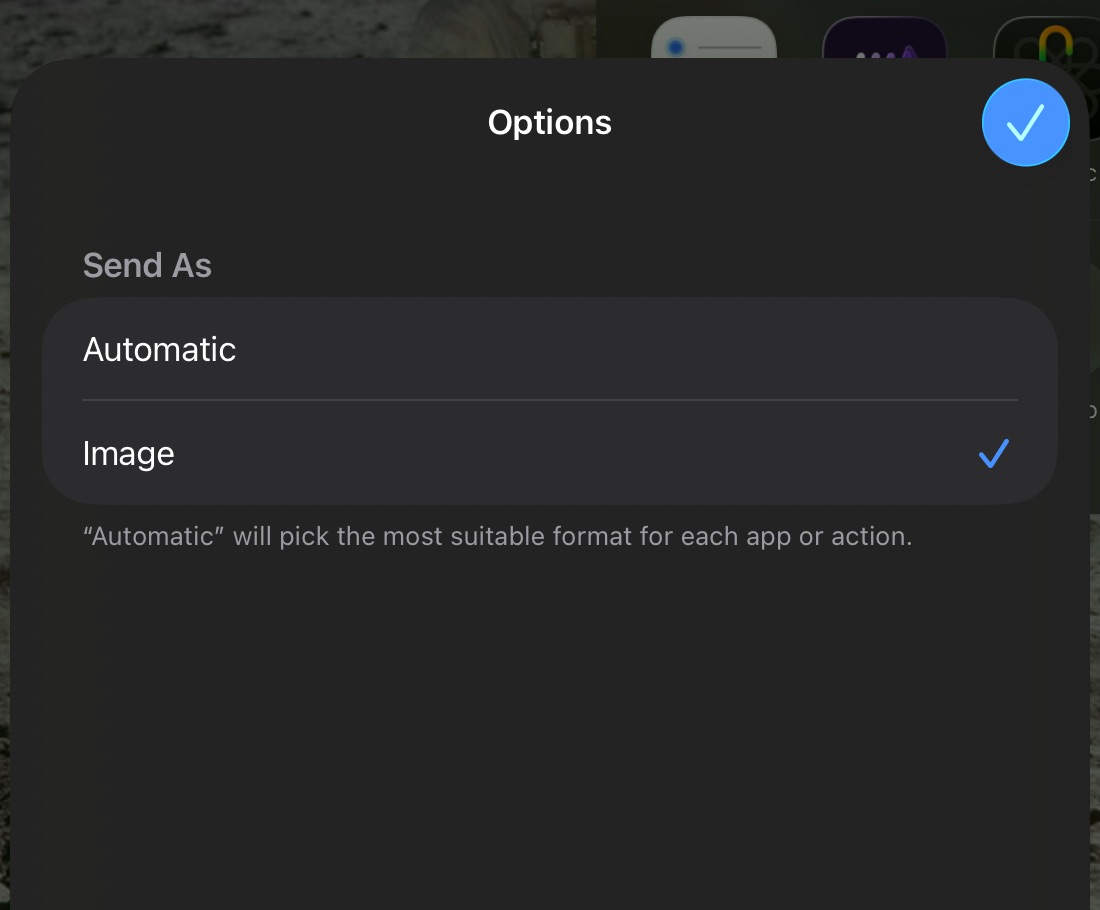
Almost always, this means the app you’re sharing from handed over a link to a web page instead of the actual image, so Sidepic (like most apps) doesn’t know what to import. See if the app allows you to copy the image instead, then you can paste it into Sidepic.
Another workaround you can try is changing the share options to send as “Image” instead of “Automatic” to force iOS to pick the image for sharing:
Still wondering about something?
Visit our
support forums
to get in touch.
Get Sidepic
Because you have other photos.
Keep them separate. Keep them convenient. Keep them to yourself.